
An edited image becomes hard to trust long before anyone questions the pixels. The trouble starts when the original sits in a phone folder, the prompt survives in a chat, the approved output is renamed “final,” and the review decision lives only in someone’s memory. Six months later, the team can see the published picture but cannot explain how it was made.
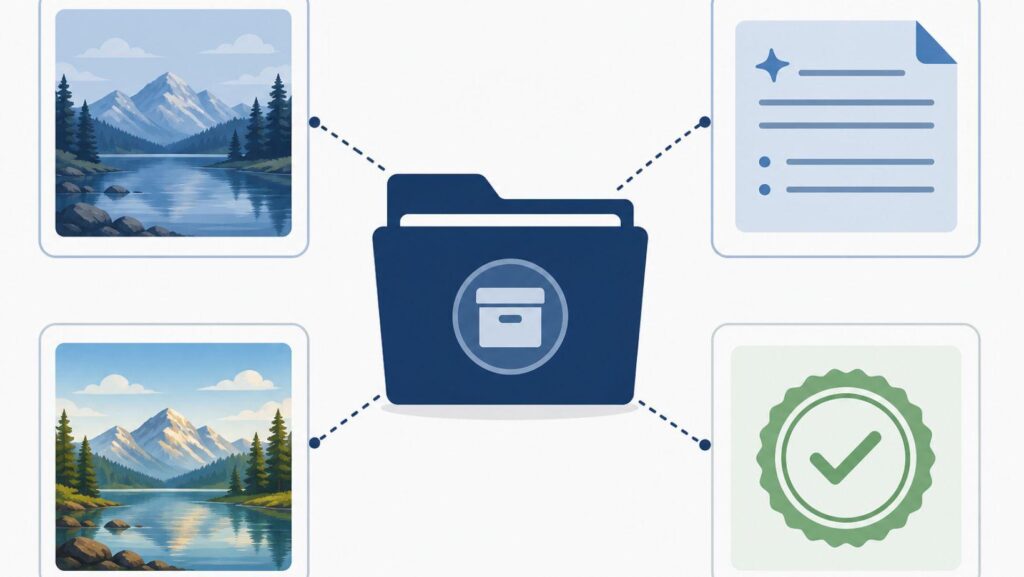
An AI Photo Editor can create and store image candidates, yet a usable archive needs more than the output. Every approved edit should travel with four linked items: source, instruction, result, and decision. That packet turns a generated asset into something another person can inspect.
PicEditor AI provides prompt-led image editing, downloads, and a private asset library described on its About page. The platform can hold part of the working trail, while the publishing team defines the evidence bundle and keeps it beside the final use.
Orphaned Outputs Turn Simple Questions Into Investigations
A design lead asks why a product shadow changed. The current file contains the new shadow, but nobody knows whether it came from a prompt, a manual retouch, or a later crop. The source filename does not match the published asset. One teammate remembers “cleaning the background,” while another thinks the generation changed only color.
The team now has to search browser histories, download folders, messages, and project drives. Even if it finds a likely prompt, there is no proof that the prompt produced the published output. A rerun may look similar but cannot reconstruct the exact approval decision.
This costs more than storage time. Legal review cannot identify the supplied reference. Editors cannot restore a rejected detail. A new designer may reuse an asset in a context its reviewer never approved. The image is visually complete and operationally incomplete.
Bind Four Records To Every Approved Image
The source record contains the untouched upload and its origin. Write who supplied it, when it was captured or received, what permissions apply, and whether it is a camera original, screenshot, licensed asset, or generated reference. Do not replace the source when a cleaner version arrives; link the new file as another input.
The instruction record contains the exact prompt and the tool context needed to understand it. Include the selected model when it is visible, the date, and any reference images. Also record the preserve line, because “remove the cup” means something different when the table grain, hand position, and packaging must remain unchanged.
The result record stores the downloaded candidate without a misleading “final” name. Use an asset ID that connects it to the source and instruction. If several candidates were generated, record which one advanced and leave the others marked as rejected rather than silently deleting the comparison.
The decision record explains why the candidate passed. It names the reviewer, approved use, crop, disclosure requirement, and any remaining restriction. A social thumbnail approval does not automatically approve a print advertisement or a factual before-and-after claim.
- Assign one packet ID before generation.
- Copy that ID into the source and prompt records.
- Name every downloaded candidate with the same ID and a version.
- Close the packet only after the approval note names an allowed use.
Use The Editing Workspace Without Treating Storage As Provenance
Begin with an uploaded source and one bounded instruction. PicEditor AI can generate a changed version and make it available for download. Save the source ID and prompt in the project record before reviewers start discussing candidates. This prevents a later comment thread from becoming the only surviving brief.
An unlinked AI Photo Editor label in the method field makes the tool category clear. Record the official brand separately as PicEditor AI, since a generic category does not identify the workspace where the candidate was produced.
When you download the selected output, place it inside the four-part packet instead of a general export folder. The platform’s asset storage may help retrieve generated work, but a project archive still needs the source relationship and approval context. Storage answers “where is the image?” Provenance answers “what changed, from what, under whose decision?”
A documented AI photo edit should have a stable packet ID in its filename or metadata. Repeat the phrase AI photo edit in an unlinked description of the method, followed by the target change. The wording stays useful because it describes what happened rather than advertising the tool.
Run A Retrieval Drill Before The Asset Ships
Give a reviewer only the published candidate’s filename and ask them to find the source, prompt, references, and approval. Set a short time limit. If the reviewer has to ask the creator, search private messages, or guess between similarly named files, the bundle has failed before publication.
Next, ask the reviewer to state the approved use without opening the final image. They should be able to tell whether the candidate is cleared for a blog post, paid campaign, product listing, or internal concept. This catches a common archive defect: complete visual history with no distribution decision.
Finally, remove one convenience layer from the drill. Sign out of the editing workspace, or imagine the original operator has left the team. The archive should still expose the source and decision through durable project storage. A vendor account is helpful working space, but it should not be the only key to a published asset’s history.
The original tool can remain named in the record even when the team changes platforms later. Provenance is stronger when migrations preserve the historical method rather than rewriting every old record into the newest workspace language.
Keep The Packet As Long As The Claim
Retention should follow the image’s job. A temporary internal mood board may need only the source and prompt for the life of the project. A product claim, news graphic, campaign image, or public before-and-after needs the full packet for as long as the asset remains published and reviewable.
Do not let a cleanup script delete “rejected” candidates when they explain why the approved output was chosen. Keep enough evidence to reproduce the decision, while applying the same access controls and privacy rules used for the source images.
Set a deletion trigger instead of an arbitrary folder-cleaning date. When the public asset is withdrawn, its claim expires, and no dispute or legal hold remains, the owner can review whether the full bundle still has a reason to exist.
Make Retrieval The Final Publishing Check
PicEditor AI fits teams that want fast prompt-led variants and are willing to attach those outputs to a disciplined project record. It does not, by itself, establish source rights, approval scope, or an audit trail outside the account.
Hand the candidate ID to someone who did not create it and ask for the complete story. If they can retrieve the four records and explain the approved change, publish. If the image stands alone, repair the archive first. A useful asset remains understandable after its creator is gone.